Park smarter, Not harder
Let me introduce you my user-friendly parking app designed with you in mind! Finding and securing a parking spot has never been easier. Parkify app simplifies the entire parking process, making it easy to use for citizens and tourists.
With Parkify, you can locate available parking spaces in your area, compare prices, and even reserve spots in advance. Say goodbye to circling the block endlessly in search of a spot – this application ensures you’ll find a convenient parking solution with just a few taps.
Challenge
The increase in private car use in Europe’s large cities, driven by quick economic and population growth, is leading to a major issue with finding enough parking spaces. This is becoming a significant problem in urban areas.
Presently, we are faced with escalating pressure on available parking spaces, resulting in problems such as traffic congestion, unauthorized parking, parking disputes, and more.
As a resident of a big city I personally experience the difficulty of finding parking spaces as well, especially when I’m in a hurry. I struggled to find a solution to this problem and realized the need for a resource to address this issue effectively. In this case study you will be able to see how I solved this problem.
User Research
I conducted a user research to validate the problem and gain a deeper understanding of the challenges individuals face in their daily lives. This research plan involved reviewing existing surveys and studies on parking-related issues and conducting one-on-one user interviews.
After completing this research and analyzing the information, I identified the primary pain points experienced by users. These pain points, in the users’ own words, include:
“I often find difficulties when trying to find a parking spot near my destination.”
“There are times when I am not sure if a parking space is already full or not.”
“In busy parking areas, I’ve occasionally struggled to remember the exact place where I parked my vehicle.”
“Some locations don’t have safe parking options, leaving me with limited alternatives.”
“Figuring out if a parking spot is allowed or not can sometimes be hard.”
“Often, I don’t want to pay in cash because most of the time I don’t carry money with me and have to waste time withdrawing from an ATM.”
“Occasionally, I discover that parking is prohibitively expensive only after reaching the parking location.”
This research helped me understand the main pain points and frustrations that drivers face when it comes to parking. It gave me a good base to create solutions and enhance the their experience.
Solution
To create a smooth and stress-free solution for people who are struggling to secure parking spaces for their vehicles, I created the Parkify mobile app with a focus on users needs and our business objectives.
Before starting the development of the user flow and wireframes, I brainstormed essential features for the app. These features were made to meet parking user’s needs and making sure they will have a smooth parking experience.
Price and Availability: Give drivers clear information about the pricing and availability of parking spaces, helping them make informed choices.
Booking Flexibility: Enable users to have the option to choose and reserve parking spaces in advance, ensuring their comfort and giving them assurance of a hassle-free experience.
Digital Payments: Allow secure digital payments through various methods.
Authorization and Hours: Provide parking users with essential details about the authorization status and operating hours of nearby parking spaces, ensuring they choose the right option.
By integrating these features into the Parkit mobile app, we aim to revolutionize the parking experience, making it user-centric, convenient, and hassle-free.
Strategic Approach
User Flow
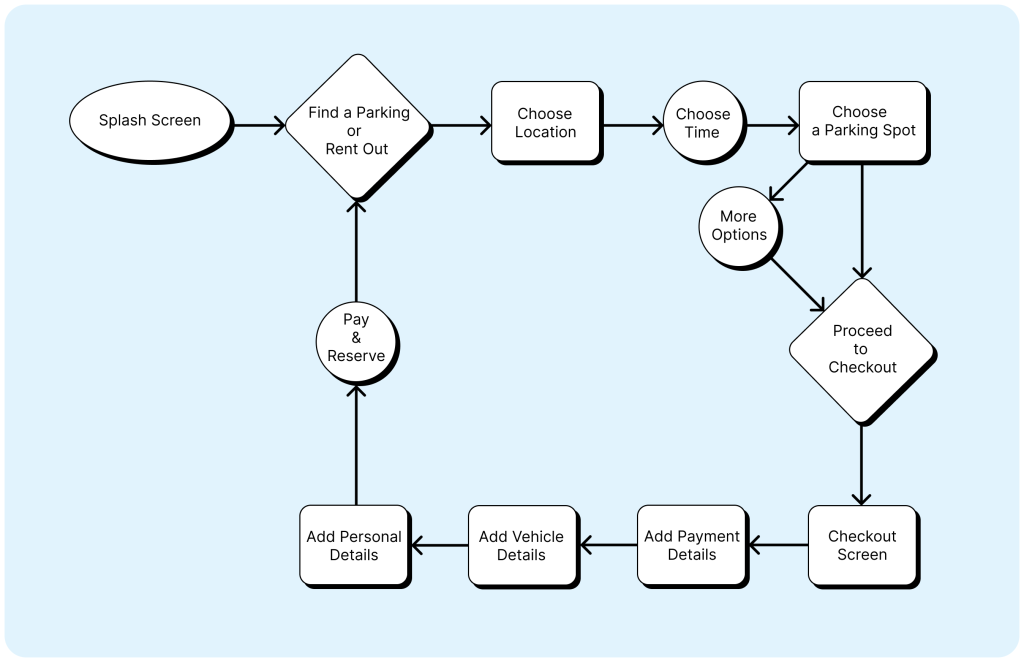
With the desired features in mind, I created a user flow that shows the app’s interaction process and defines the sequential steps involved in booking an initial parking spot. My primary goal was to design a user flow that minimizes complexity and ensures user-friendliness, prioritizing a straightforward and intuitive experience for users.
Wireframes
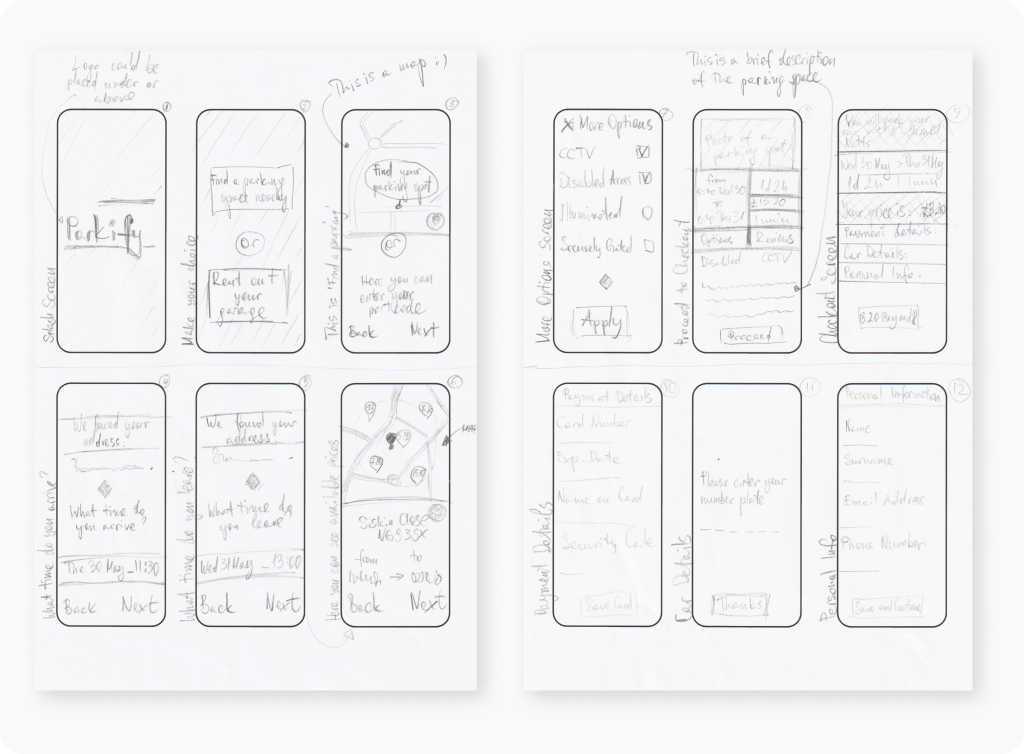
Before turning my ideas into a real app, I made rough sketches of how the app’s screens would look like. These sketches helped me figure out the layout and design that would be simple and easy for users to understand.
(What you see here are just a few examples of the many sketches and design versions I created.)
Creating the User Interface
Design Scheme
Fonts
Kanit
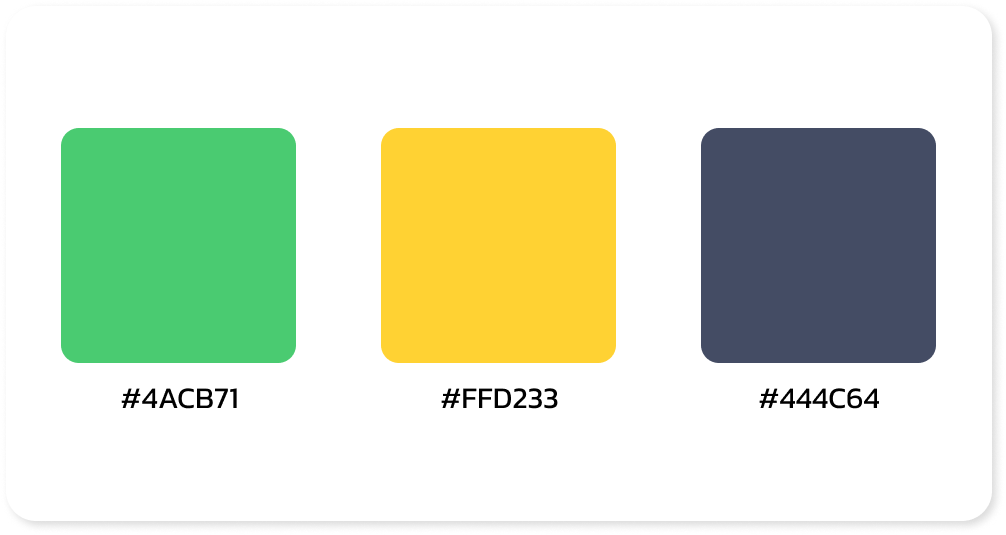
Used colors
Screens
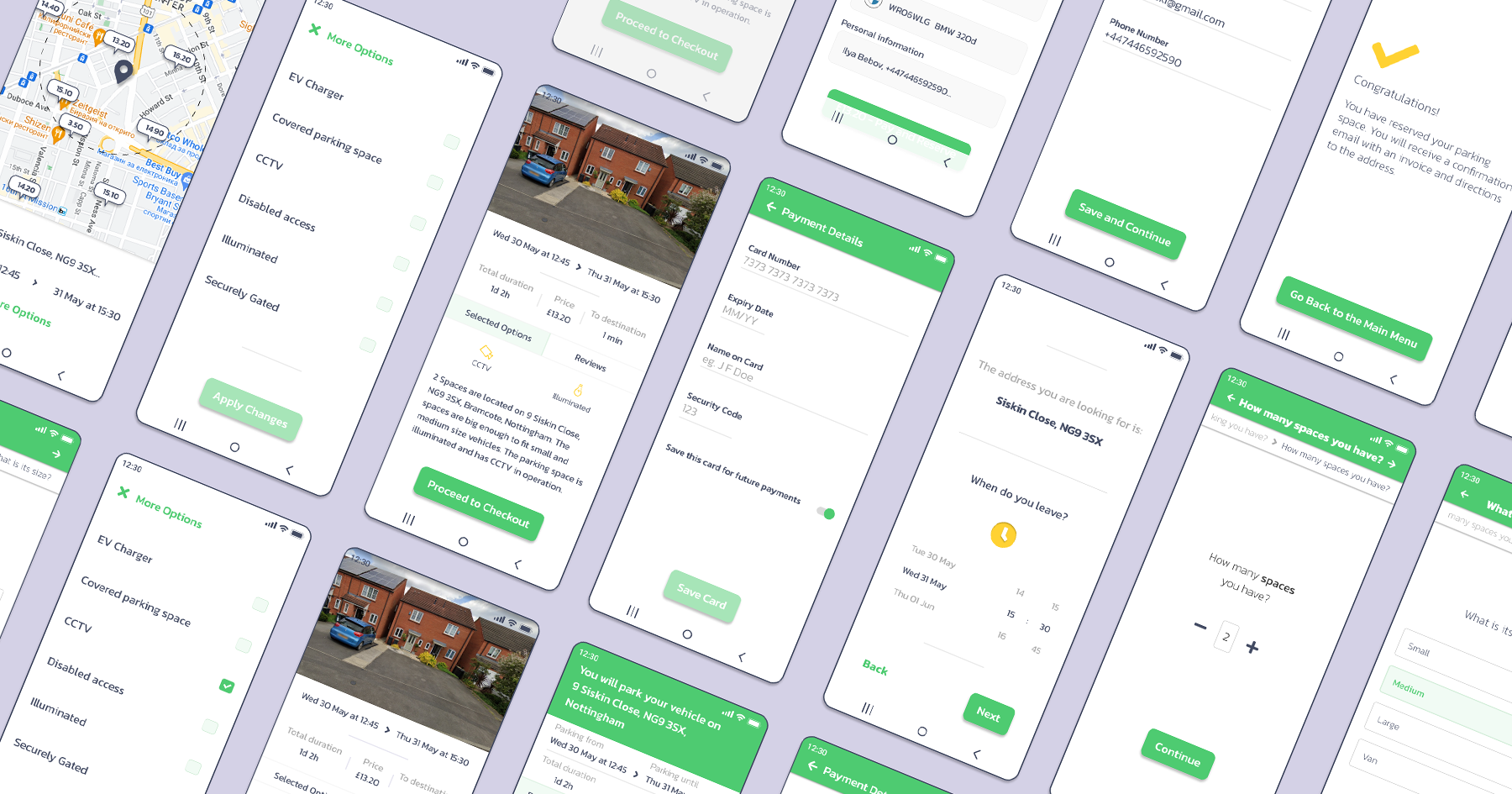
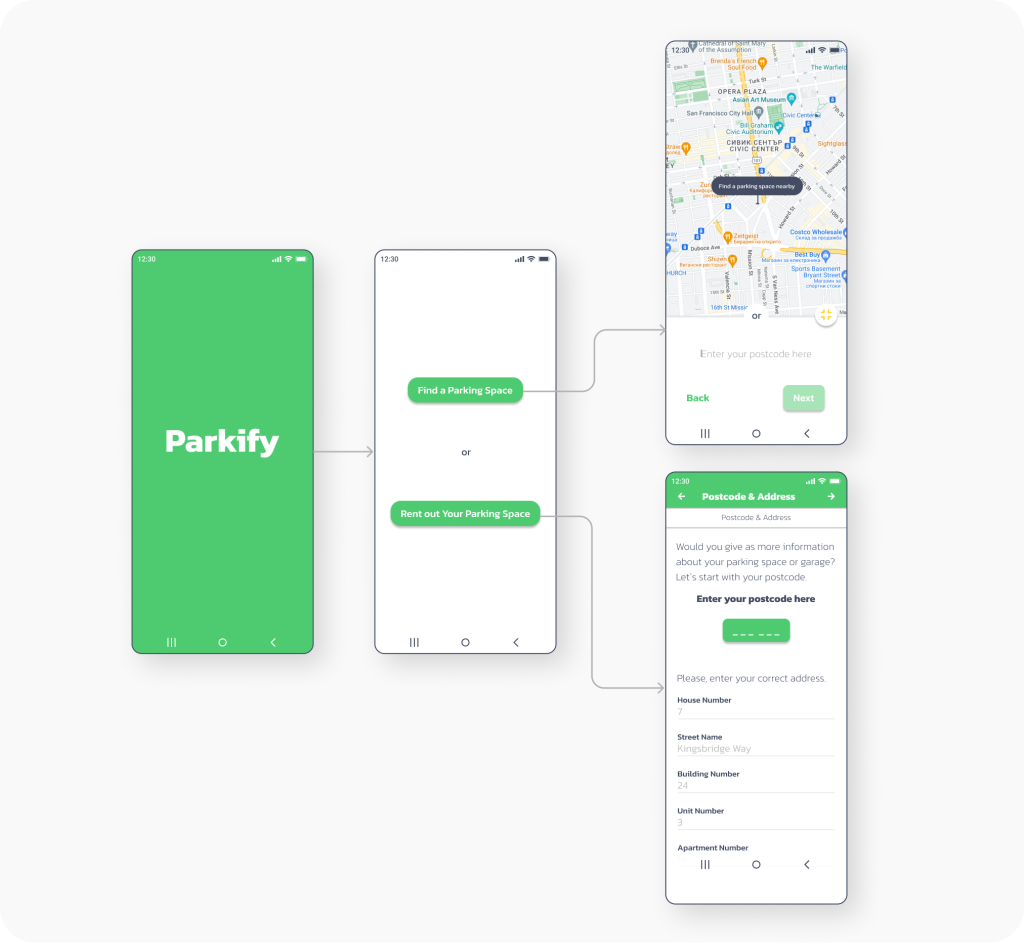
The Parkify application has two main panels: one for the customers who is renting a parking space and another panel for those who own a parking space and want to rent it out. To make it user-friendly, right on the first screen after the splash screen, the users are given the choice to select one of the two paths.
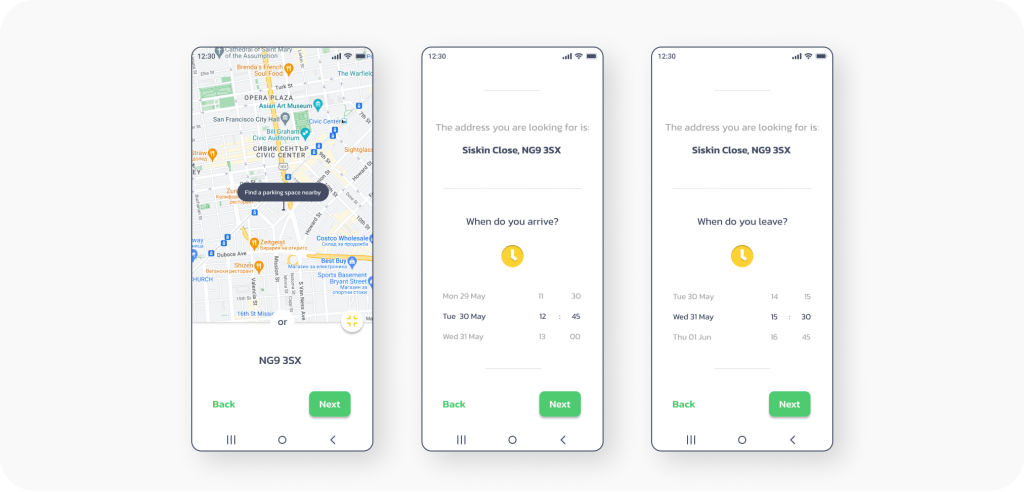
In the following lines and screens, will see this part of Parkify dedicated to the drivers searching for a parking space. In the first three screens, the driver enters the postal code of the desired parking location or clicks a button to find a spot near his current location. After entering the address, they have the option to select the arrival time at the parking space as well as the departure time from the parking space.
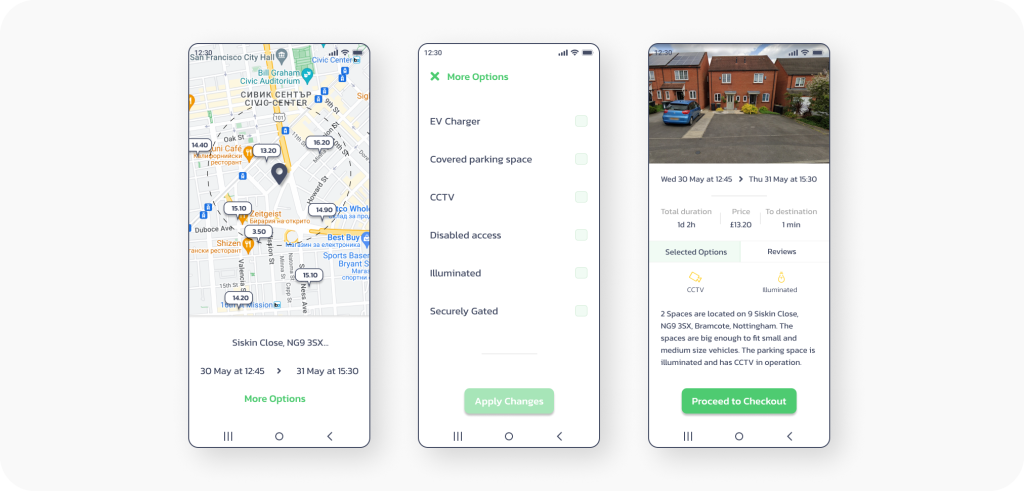
The following screens display:
1. The available parking spaces based on the information provided by the driver regarding the address and the time he wishes to park.
2. Additional parking options where the driver can choose what extra features they want the rented parking space to have, such as a charger for an electric car.
3. Parking space overview is the screen where the parking user sees the summarized information before proceeding to payment, such as: a photo of the parking spot, duration of stay, price for the service, a brief description of the parking space, and reviews from other users.
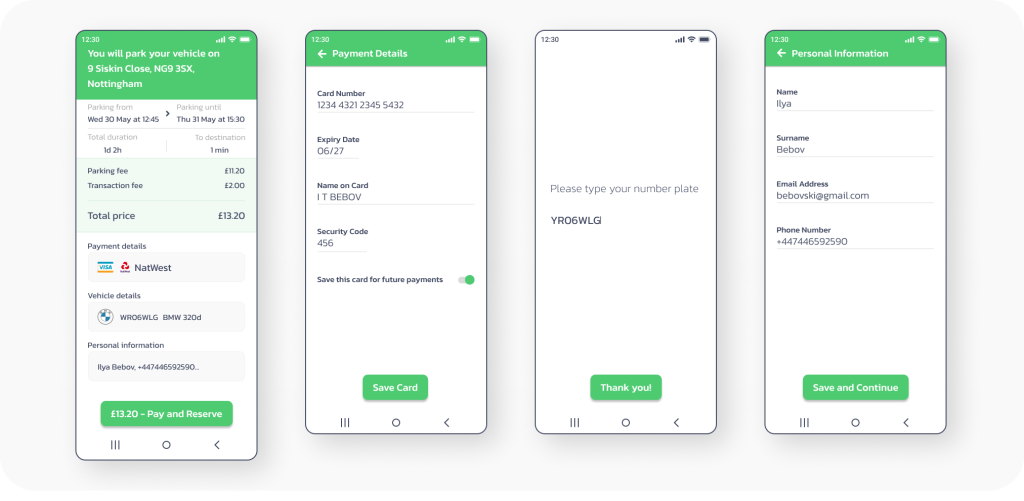
After pressing the “Proceed to Checkout” button the driver goes to check out screen, where they need to enter the payment details of their card, their car’s registration number, as well as contact information: name, phone, and email.
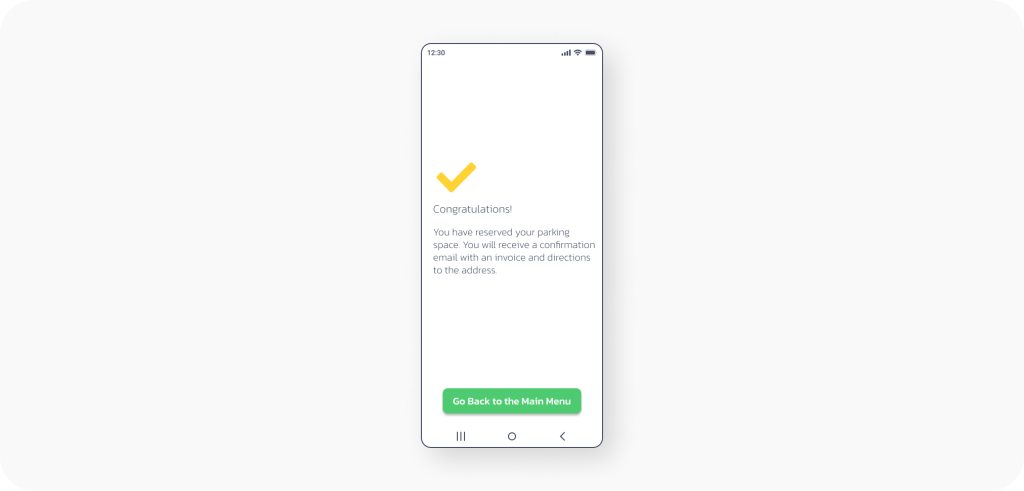
“Congratulations! You have reserved your parking space.” When the user sees this message, they know that the parking space is reserved and they can enjoy parking in a secure and comfortable place.
If you are interested and curious to see more screens of this app or figma prototype, feel free to contact me.
Conclusion
As a conclusion I can say that I designed Parkify with user convenience in mind. This App simplifies the parking experience by allowing drivers to find available parking spaces, compare prices, and reserve spots in advance. This addresses the increasing challenge of finding parking spaces in growing cities, reducing issues like traffic congestion and unauthorized parking. Drivers benefit from easy spot searching, clear pricing and availability information, flexible booking options, secure digital payments, and essential details about parking space authorization. The owners off the app can tap into the high demand for parking, ensuring a user-centric design that leads to customer satisfaction and revenue generation through booking fees. In conclusion, Parkify offers a win-win solution for users, app owners and parking space owners, transforming urban parking into a hassle-free experience.